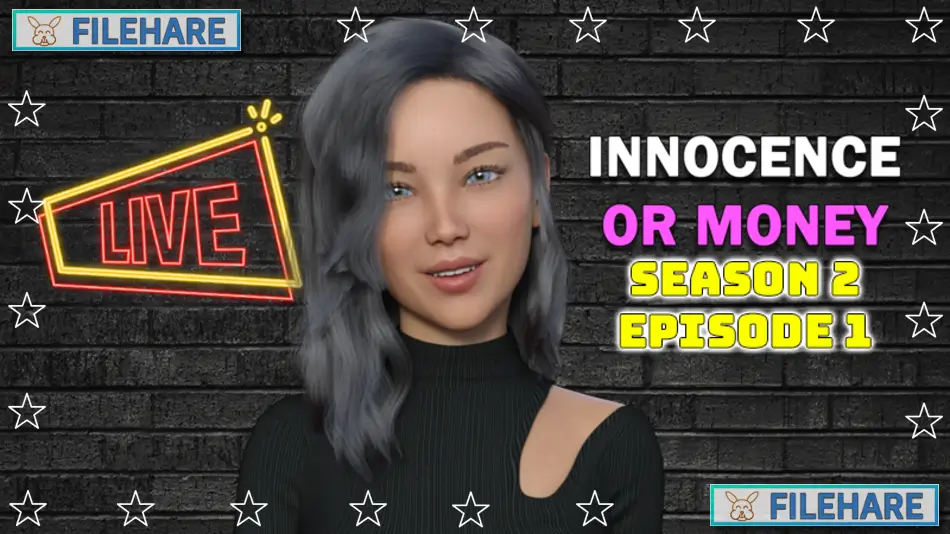
Innocence Or Money | Season 2 | Episode 1 PC Game Download
Innocence Or Money | Season 2 | Episode 1 is a single-player adventure and visual novel game developed and published by MarcialART. It was released on PC on August 10, 2024, as an Early Access title on Steam. The game is intended for adult players only and is available on Windows and Linux. It has received mostly positive reviews on Steam, with 74% of over 330 player reviews rating it favorably. It is the start of the second season in the Innocence Or Money series.
Table of Contents
Innocence Or Money | Season 2 | Episode 1 Story
The game continues the story of Jennifer, a young woman whose life started in a small town before moving to a big city. Season 2 picks up right where Season 1 ended. Before starting, the game asks the player a series of questions about the major events from Season 1 so that the story in Season 2 begins from the correct point. The developer recommends playing Season 1 first, as Season 2 is a direct continuation and the story builds on what happened before. Jennifer’s path is shaped by how the player guided her in the previous season, and the story moves forward based on those earlier events.
Innocence Or Money | Season 2 | Episode 1 Gameplay
The game is an adult visual novel where the player reads dialogue and story scenes and selects responses at key moments. The player guides Jennifer by selecting from response options as situations arise in the story. The game includes a map that allows the player to visit multiple locations, and more locations are added as new episodes are released. An inventory feature is also included in Episode 1, which will become more useful in future episodes. All adult scenes include animations with adjustable speed settings and original music that plays in the background during scenes. The currently playing song is shown in the upper right corner of the music player.
Innocence Or Money | Season 2 | Episode 1 Features
The game supports 32 languages, including English, French, Italian, German, Spanish, Arabic, Japanese, Korean, Russian, Simplified Chinese, Turkish, Ukrainian, and many more. It is playable on Windows and Linux and is also confirmed as Steam Deck playable. Season 2 includes a fully original soundtrack with 100% new songs. The music player allows the player to shuffle songs and pause and resume tracks at any time. Episode 2, released on February 7, 2025, is available as a DLC add-on that requires Episode 1 as the base game. Family Sharing is supported.
Gameplay Screenshots




| Name | Innocence Or Money | Season 2 | Episode 1 |
|---|---|
| Developer | MarcialART |
| File Size | 1.93 GB |
| Category | Adult |
| Minimum System Requirements | |
| CPU | Intel/AMD 2.0 GHz dual-core |
| RAM | 4 GB |
| Graphics | OpenGL 2.0 or DirectX 9.0c compatible |
| Free Disk Space | 4 GB |
| Operating System | Windows 10 / 11 / 7 / 8 (64-bit) |
| User Rating | |
Buy this game to support the developer. Store Page
How to Download and Install Innocence Or Money | Season 2 | Episode 1 PC Game?
We have simple instructions for you to download and install the PC game. Before following the steps, Ensure your PC meets the minimum system requirements for Playing the game on your PC.
- First, click on the DOWNLOAD button and you will be redirected to the final Download page. Then, Download the Game on your PC.
- Once you have downloaded the Innocence Or Money | Season 2 | Episode 1 PC Game, Open the folder where you saved the Game.
- Then Right-click on the Zip file and click on the "Extract files" option from the dropdown menu. If your computer does not have a Zip file extract software installed, you must first install it. (such as WinRAR, 7Zip software)
- After Extracting the Zip file, Open the Innocence Or Money | Season 2 | Episode 1 PC Game folder.
- Then, double-click on the Setup.exe file to Install the Game.
- If asked to allow the program to make changes to your device, click Yes to continue.
- After the installation, if you get any missing ".dll" errors or the Game is not launching, open the Readme.txt file located in the game folder and follow the instructions shown in the document file to play the game.
Done!. Now, you can launch the game from your desktop.