Robolife2 – Nova Duty PC Game Download for Windows 10/11

Robolife2 – Nova Duty is a simulation and visual novel game developed by Barance Studio and published by Mango Party and Critical Bliss. It was released on PC on March 10, 2023. The game is intended for adult players only and is available on Windows. It is the second title in the Robolife series, following Robolife – Days with Aino. It has received very positive reviews on Steam, with around 89% of players rating it favorably.
Table of Contents
Robolife2 – Nova Duty Story
The player character comes across Nova, an irregular android who has been held by the authorities. After a lucky turn of events, the player manages to free her and the two end up living under the same roof. Nova has no memory of where she came from or why she was being held. As the player spends time with Nova, they work to find the truth behind her mysterious past.
Robolife2 – Nova Duty Gameplay
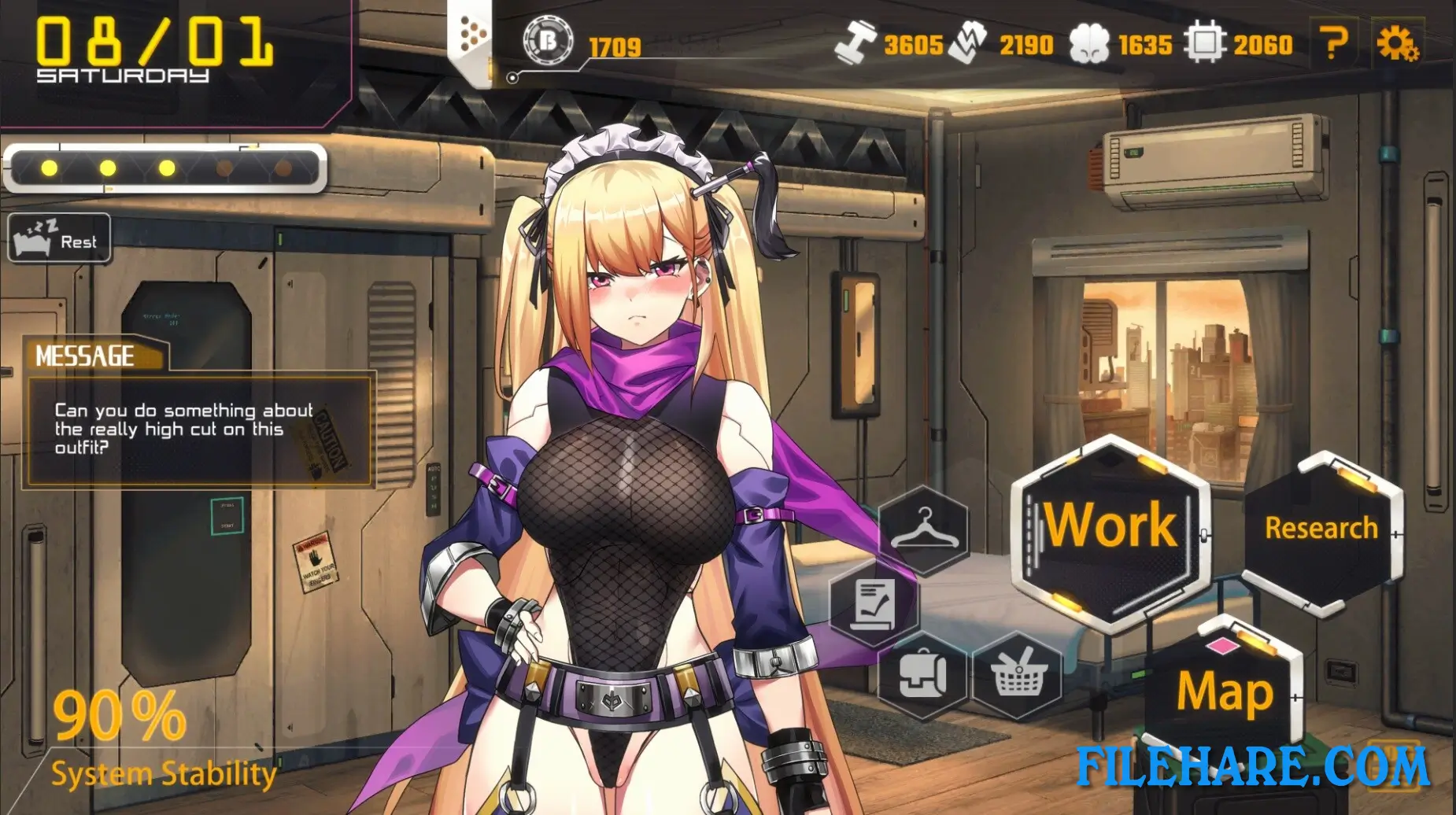
Robolife2 – Nova Duty is a time management and visual novel game. The player has to manage daily activities such as sending Nova to work and completing tasks for the people in the area to earn money. Money is then used to research and buy new android parts for Nova, which improves her performance and unlocks new story events. The game also includes a combat section that was added as a new feature compared to the first title. In combat, players match their skill colors to those of the enemy to gain an advantage. Between combat and managing Nova’s schedule, players also read through the story by interacting with Nova and other characters.
Robolife2 – Nova Duty Features
Nova’s body parts and outfits are fully interchangeable. The game includes twelve part sets with over 30 individual parts for her head, torso, and limbs, giving players over 1,000 possible combinations. The game contains more than 8,000 lines of dialogue and has multiple endings and epilogues. Fully voiced and animated adult CG scenes are included. The game supports five languages: English, Japanese, Russian, Simplified Chinese, and Traditional Chinese. It runs on Windows and is also playable on Steam Deck with partial support. Steam Cloud saving is supported, and the title is included in four bundles on Steam.
Recommended System Requirements
Requires a 64-bit processor and operating system
- OS: Windows 10 64bit
- Processor: Core i7
- Memory: 16 GB RAM
- Graphics: Gefoce GT 640
- Storage: 6 GB available space
Gameplay Screenshots



| Name | Robolife2 – Nova Duty |
|---|---|
| Developer | Barance Studio |
| File Size | 1.87 GB |
| Category | Adult |
| Minimum System Requirements | |
| CPU | Intel Core i5-4460 dual core 3.2GHZ |
| RAM | 8 GB |
| Graphics | Intel(R) HD Graphics 612 |
| Free Disk Space | 3 GB |
| Operating System | Windows 10 / 11 (64-bit) |
| User Rating | |
Buy this game to support the developer. Store Page
How to Download and Install Robolife2 – Nova Duty PC Game?
We have simple instructions for you to download and install the PC game. Before following the steps, Ensure your PC meets the minimum system requirements for Playing the game on your PC.
- First, click on the DOWNLOAD button and you will be redirected to the final Download page. Then, Download the Game on your PC.
- Once you have downloaded the Robolife2 – Nova Duty PC Game, Open the folder where you saved the Game.
- Then Right-click on the Zip file and click on the "Extract files" option from the dropdown menu. If your computer does not have a Zip file extract software installed, you must first install it. (such as WinRAR, 7Zip software)
- After Extracting the Zip file, Open the Robolife2 – Nova Duty PC Game folder.
- Then, double-click on the Setup.exe file to Install the Game.
- If asked to allow the program to make changes to your device, click Yes to continue.
- After the installation, if you get any missing ".dll" errors or the Game is not launching, open the Readme.txt file located in the game folder and follow the instructions shown in the document file to play the game.
Done!. Now, you can launch the game from your desktop.