Taiwan Love Story⁵ PC Game Download for Windows 10/11

Taiwan Love Story⁵ is a romantic adult dating simulation and visual novel game developed by HappyMonster, Mr. Chihua, and Maker, and published by LewdLoco, Mango Party, and Mango Party News. It was released on December 19, 2024, for PC on Windows. The game is intended for adult players and was designed to introduce players to Taiwanese culture and real locations across Taiwan. It received mostly positive reviews on Steam shortly after release.
Table of Contents
Taiwan Love Story⁵ Story
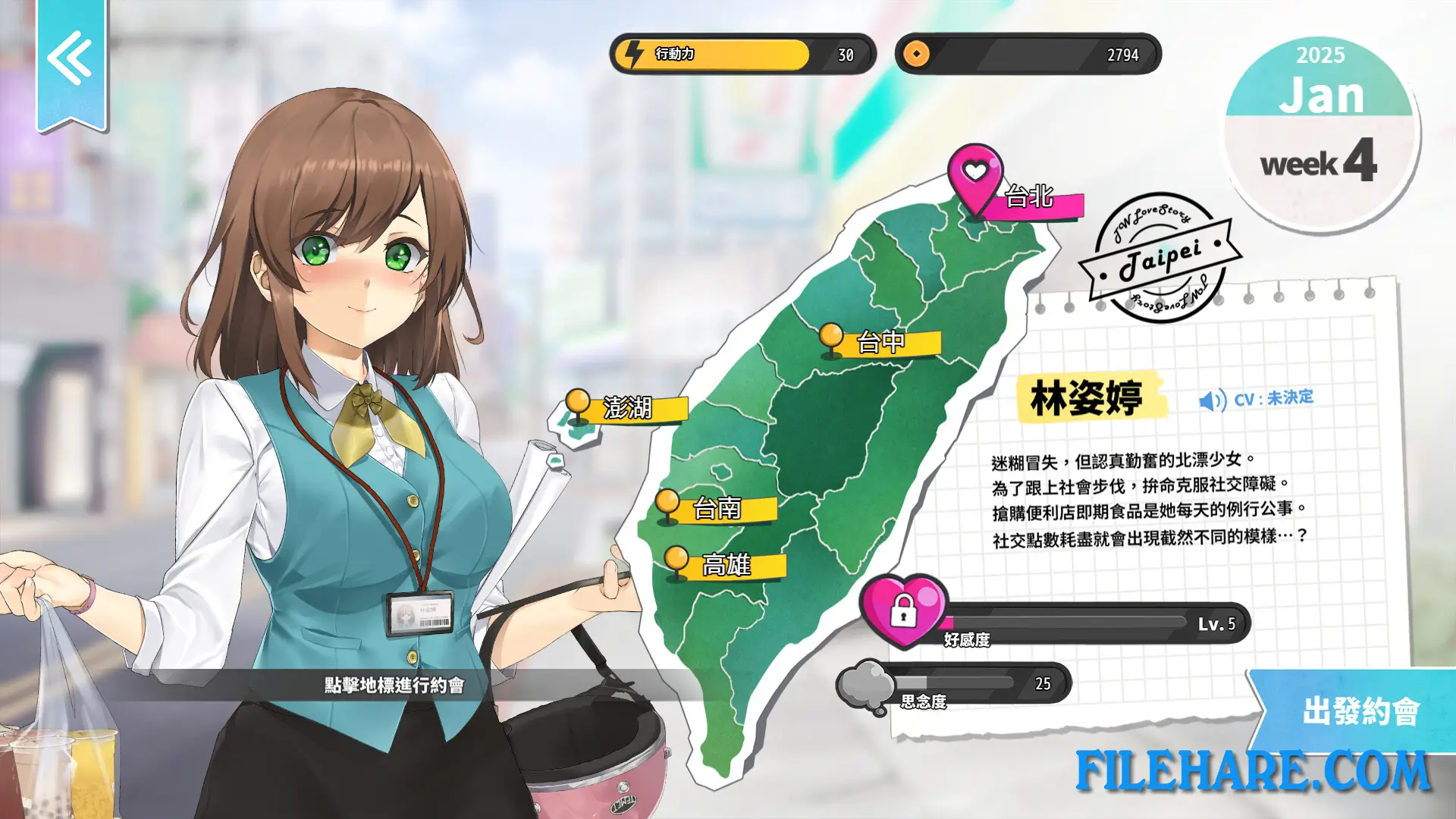
The player takes on the role of David Lee, a Taiwanese American college student studying at a university in Taiwan. He works as a research assistant to a professor who studies how relationships develop between couples in a gaming context. As part of this research, David meets five young women at a campsite and sets out to spend time with them over the course of a year. Unknown to the others, David is also searching for the girl who kissed him in a dream. The five heroines come from different parts of Taiwan — including Taichung, Tainan, and Kaohsiung — and each has a personal story tied to real Taiwanese locations and culture. The game has a single-heroine ending structure, meaning the player can only pursue one girl’s ending per playthrough.
Taiwan Love Story⁵ Gameplay
The game is played as a time management visual novel. The player has a set amount of in-game time during the year to spend with the five heroines. During dates and hangouts, the player can take part in activities such as visiting claw machine arcades, shooting balloon games, watching movies together, and going to special locations around Taiwan. The player reads story dialogue, selects responses, and manages time to build a relationship with a chosen heroine. The game also has a free adult content DLC available separately for players who want to access the mature scenes.
Taiwan Love Story⁵ Features
The game features five romance routes, with each heroine having her own personal story tied to a real area of Taiwan. It includes 15 animated adult scenes available via the optional adult content DLC. The game has partial Chinese voice acting. It supports Steam Achievements and Steam Cloud saving. Languages available include English, Traditional Chinese, Simplified Chinese, Japanese, and Korean. An artbook DLC is also available as a separate add-on. The game runs on Windows and is also noted as playable on the Steam Deck.
Recommended System Requirements
- OS: Windows 10+
- Processor: Intel i5 10th gen or above
- Memory: 12 GB RAM
- Graphics: Nvidia GeForce GTX 1060 or above
- DirectX: Version 12
- Storage: 8 GB available space
- Sound Card: DirectSound
Gameplay Screenshots



| Name | Taiwan Love Story⁵ |
|---|---|
| Developer | 快樂怪物, 紳士吉娃, Maker製造機 |
| File Size | 2.76 GB |
| Category | Adult |
| Minimum System Requirements | |
| CPU | Intel i3 8th gen or above |
| RAM | 8 GB |
| Graphics | Nvidia GeForce GTX 760 |
| Free Disk Space | 4 GB |
| Operating System | Windows 10 / 11 |
| User Rating | |
Buy this game to support the developer. Store Page
How to Download and Install Taiwan Love Story⁵ PC Game?
We have simple instructions for you to download and install the PC game. Before following the steps, Ensure your PC meets the minimum system requirements for Playing the game on your PC.
- First, click on the DOWNLOAD button and you will be redirected to the final Download page. Then, Download the Game on your PC.
- Once you have downloaded the Taiwan Love Story⁵ PC Game, Open the folder where you saved the Game.
- Then Right-click on the Zip file and click on the "Extract files" option from the dropdown menu. If your computer does not have a Zip file extract software installed, you must first install it. (such as WinRAR, 7Zip software)
- After Extracting the Zip file, Open the Taiwan Love Story⁵ PC Game folder.
- Then, double-click on the Setup.exe file to Install the Game.
- If asked to allow the program to make changes to your device, click Yes to continue.
- After the installation, if you get any missing ".dll" errors or the Game is not launching, open the Readme.txt file located in the game folder and follow the instructions shown in the document file to play the game.
Done!. Now, you can launch the game from your desktop.