Bloody Roar 4 PC Game Download for Windows 10/11/7/8

Hudson Soft and Eighting, prominent Japanese companies, developed the exciting game, Bloody Roar 4 in 2003. If you already enjoyed Bloody Roar games, then this edition will give you the best experience. The realistic violence and bloody scenes have gained the attention of most players. Characters have been converted into powerful beasts during battles.
Table of Contents
- Bloody Roar 4 PC Game Features
- Bloody Roar 4 Gameplay
- Music and graphics
- Multiplayer mode and online play
- Replay value
- Bloody Roar 4 PC Game Limitations
- Conclusion
- How to Download and Play Bloody Roar 4 on PC with PCSX2 (Complete Setup Guide)
- Step 1: Download and Extract the Bloody Roar 4 (USA).zip File
- Step 2: Launch PCSX2
- Step 3: Handle the BIOS Warning in the Setup Wizard
- Step 4: Add Your Game Folder
- Step 5: Put the BIOS in the PCSX2 Data Folder
- Step 6: Double-Click the Game to Play
- Bloody Roar 4 Gameplay Screenshots
Bloody Roar 4 PC Game Features
- The zoanthrope power gauge is the most significant feature to add depth to the battle. It determines when you can make a conversion.
- Players transforming into strong beasts gain unique skills and improved strength. Moreover, the beast gauge is the health meter that adds a strategic element.
- The story mode in the gameplay provides an amazing background and motivates every character.
- The Versus Mode lets you compete with others.
- The Arcade mode allows you to face different opponents.
Bloody Roar 4 Gameplay
Bloody Roar 4 lets you experience a traditional fighting game. But there is a twist because characters are convertible into powerful beasts during the battle. The beasts gain abilities and make special moves. Punches and kicks are other moves of the combat system. Moreover, the beast drives are impressive and take the battle to a different level.
Nagi Kirishima, a human gets entangled in the combat. Ryoho is another character acting as a priest. On the contrary, Mana is a strange fox whose aim is to deal with the dragon’s seal. So, explore the characters and play the game efficiently with your friend.
Music and graphics
The gameplay includes both English and Japanese voice casts. The decent music captured the intensity of the predecessors. But, the soundtrack lacks energetic themes. Moreover, the graphics have improved the player’s experience. From beast transformation to character models, everything shows perfection in graphics. However, some visual elements in the game need improvements.
Multiplayer mode and online play
The local multiplayer mode lets you play the game with your friends with different controllers. The Versus Mode has drawn the attention of most players. It encourages players to engage in intense battles. But there is no online multiplayer mode with this game.
Replay value
Bloody Roar 4 has significant value because of the various characters. There are 18 playable characters, showing distinctive beast forms and moves. You can try out various strategies and fighting styles. Most players feel excited at the training mode, which allows them to modify their moves for perfection. So, this mode has boosted the replayability of the game. You can play the game repeatedly to refine your skills. But there is no unlockable content in the gameplay.
Bloody Roar 4 PC Game Limitations
Some players claim that the gameplay has less complex mechanics. The game content needs to be more polished. The storyline is also weak, unlike other games of a similar genre. The subpar voice acting has been negatively criticized. Although the graphics are impressive, they have some inconsistencies.
Conclusion
Bloody Roar 4 provides enjoyable gameplay similar to other games in the Bloody Roar series. The local multiplayer mode gives you a satisfying experience. But, there are minor issues with graphics consistency. The developer should introduce an online play mode to the game.
How to Download and Play Bloody Roar 4 on PC with PCSX2 (Complete Setup Guide)
Here is a complete setup guide with illustrations to play Bloody Roar 4 on your PC using PCSX2. Before following the steps, ensure your PC meets the minimum system requirements for playing the game on your PC.
Step 1: Download and Extract the Bloody Roar 4 (USA).zip File
- First, click on the DOWNLOAD button and you will be redirected to the final Download page. Then, Download the Game on your PC.
- Once you have downloaded the Bloody Roar 4 PC Game, Open the folder where you saved the Game.
- Then Right-click on the Zip file and click on the “Extract files” option from the dropdown menu. If your computer does not have a Zip file extract software installed, you must first install it. (such as WinRAR, 7Zip software)
- After Extracting the Zip file, Open the Bloody Roar 4 (USA) folder.
- Then, you’ll get a folder named “pcsx2-v2.8.2-windows-x64-Qt”. Open it to find the emulator files.
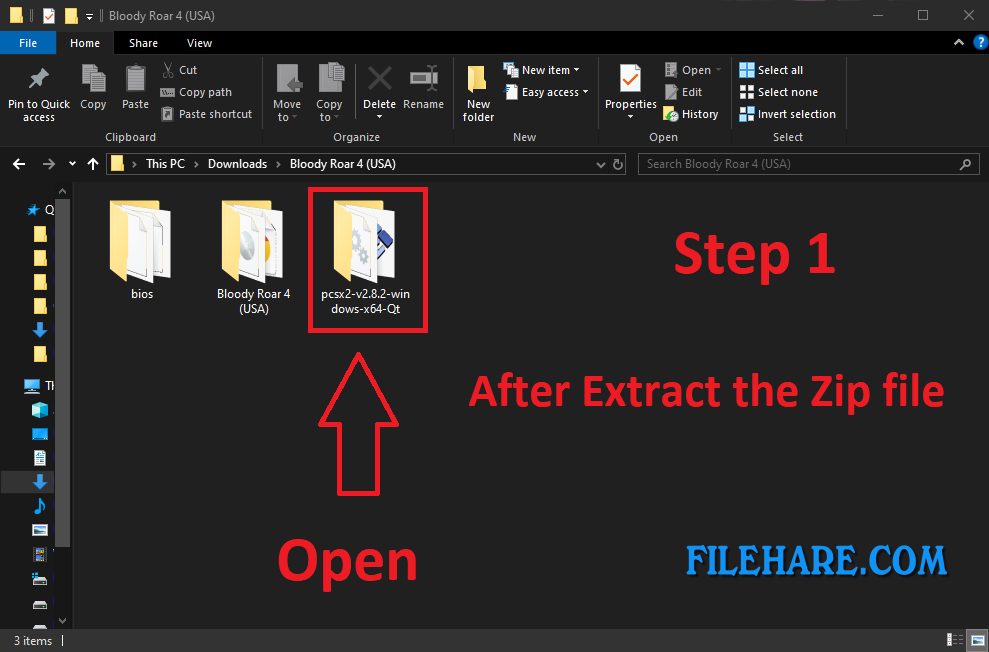
Step 2: Launch PCSX2
Inside the “pcsx2-v2.8.2-windows-x64-Qt” folder, scroll down to pcsx2-qt.exe and double-click it. If asked, provide administrator permissions for the installation to proceed. Click Yes to continue. There’s no separate installer to run, because PCSX2 starts straight from this file.
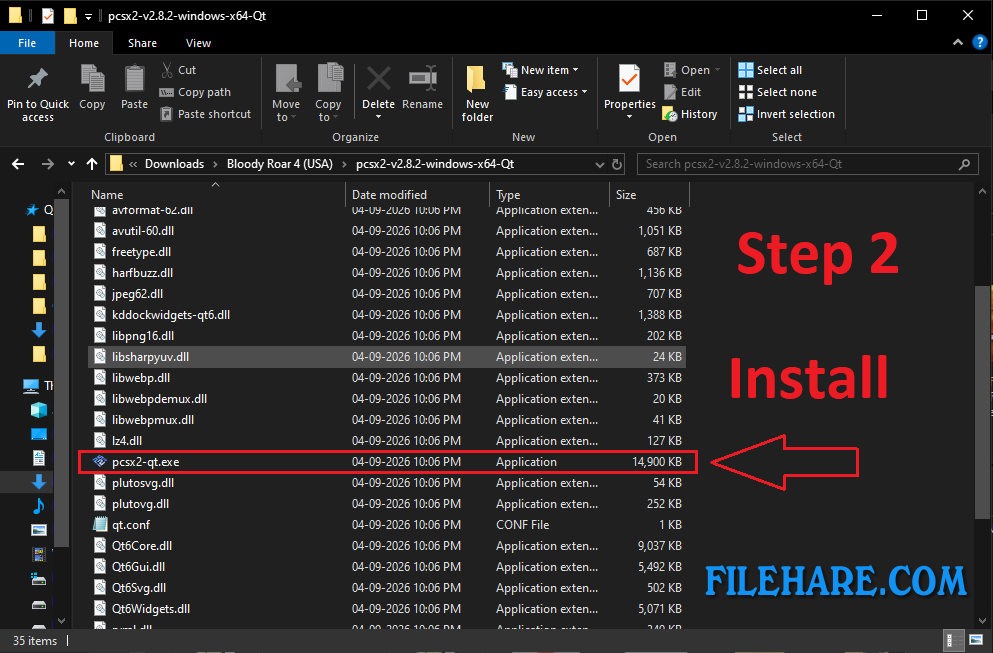
Step 3: Handle the BIOS Warning in the Setup Wizard
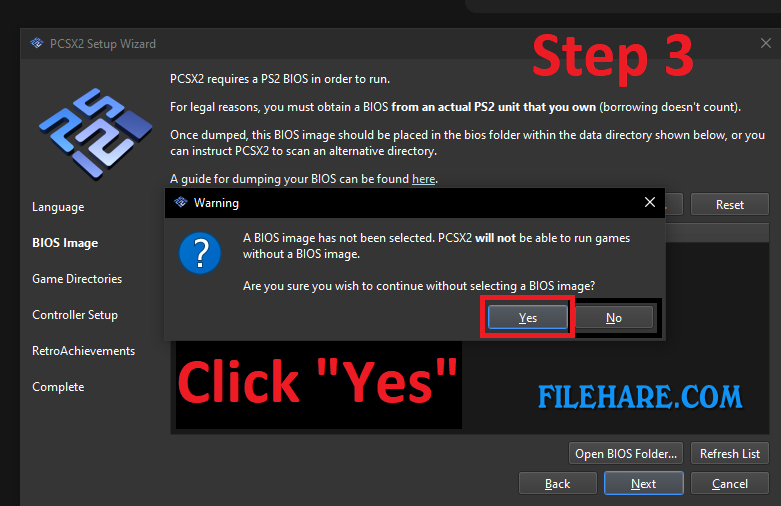
On first launch, after selecting the language, the Setup Wizard will reach the BIOS Image page, then click Next. If no BIOS is installed yet, PCSX2 warns that it can’t run games without one. Click “Yes” to Continue without selecting a BIOS image, then click Next to continue the installation.
Step 4: Add Your Game Folder
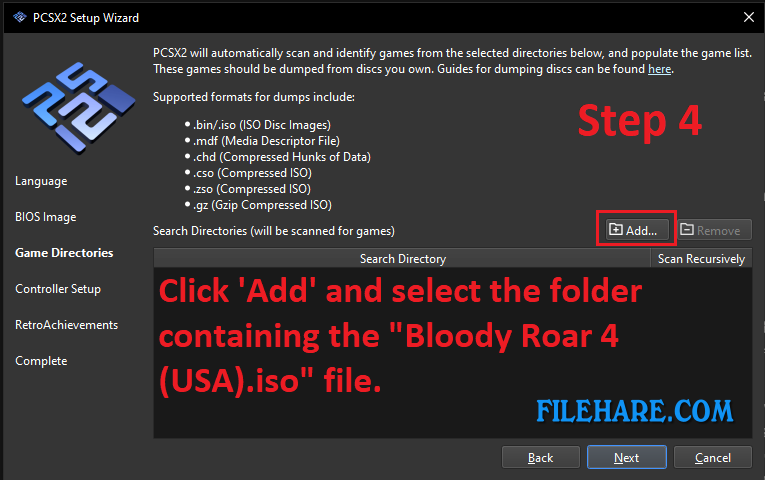
On the Game Directories page, click Add… and select the folder that contains your game’s .iso file. You choose the folder, not the file itself, and PCSX2 scans it automatically. The game must be a disc image made from a disc you own. Supported formats include .iso, .bin, .chd, .cso and .zso. Click Next to continue.
Step 5: Put the BIOS in the PCSX2 Data Folder
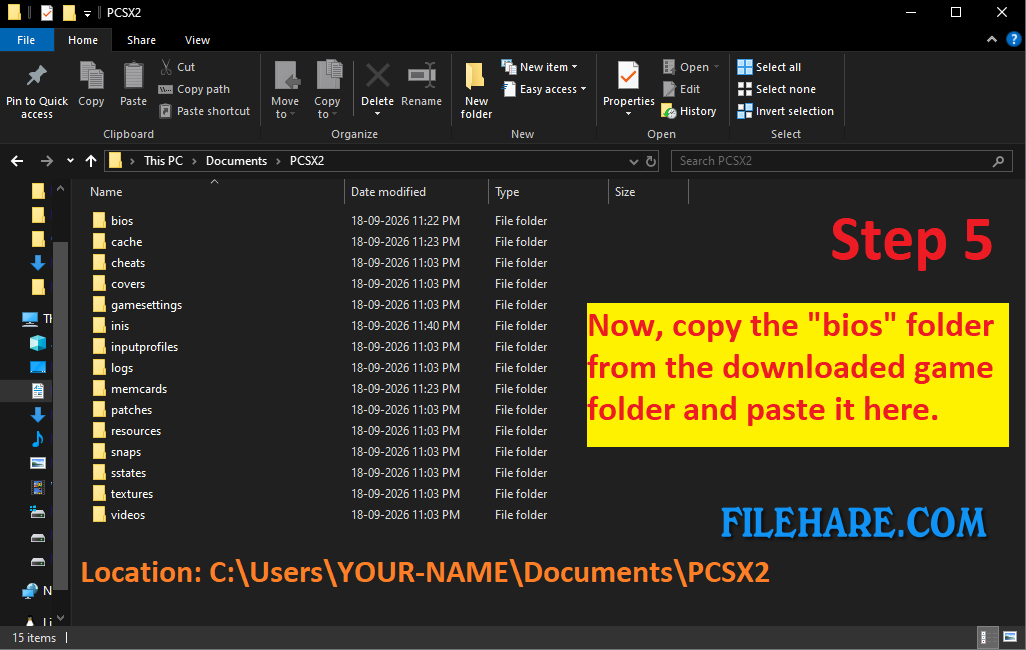
PCSX2 stores its data in the “C:\Users\YOUR-NAME\Documents\PCSX2” folder location. This folder holds subfolders like bios, memcards, cheats, and sstates. Now you have to copy the “bios” folder from the downloaded game folder and paste it into the “C:\Users\YOUR-NAME\Documents\PCSX2” folder location, keeping each .bin together with its .MEC and .NVM files. PCSX2 picks them up automatically, or you can click Refresh List under Settings → BIOS.
Step 6: Double-Click the Game to Play
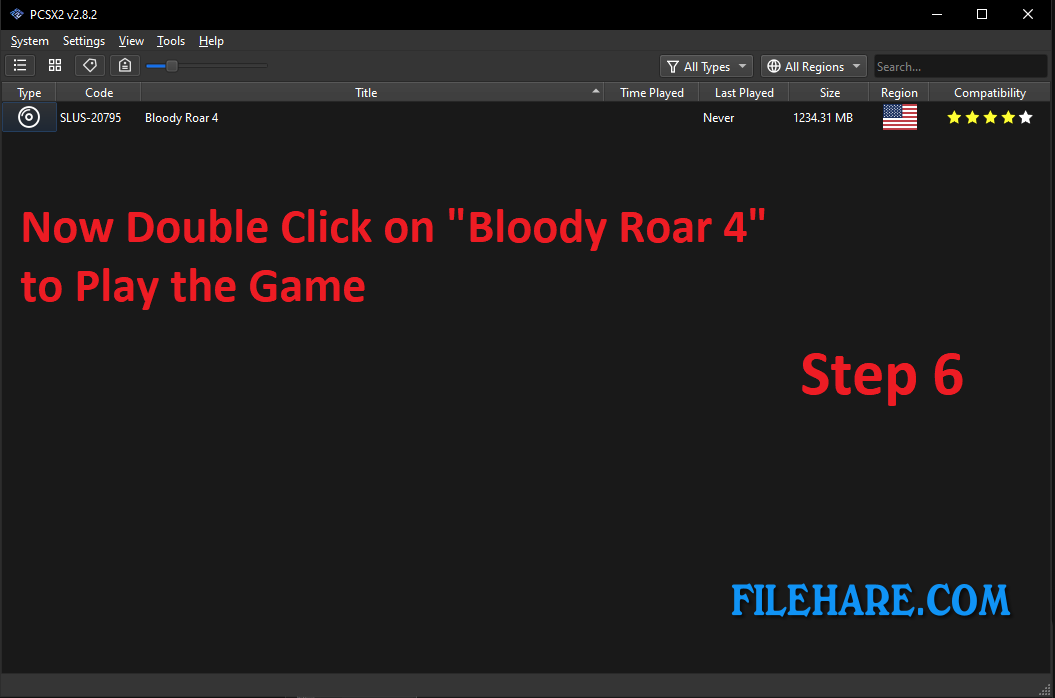
Your game now appears in the PCSX2 game list. Bloody Roar 4 shows as SLUS-20795, the US release, with a four-star compatibility rating. Double-click it to start. On the first launch, the game asks whether to create new save data on the memory card, so choose YES to keep your progress. If you get a startup error about a missing BIOS, go back to Step 5.
Bloody Roar 4 Gameplay Screenshots

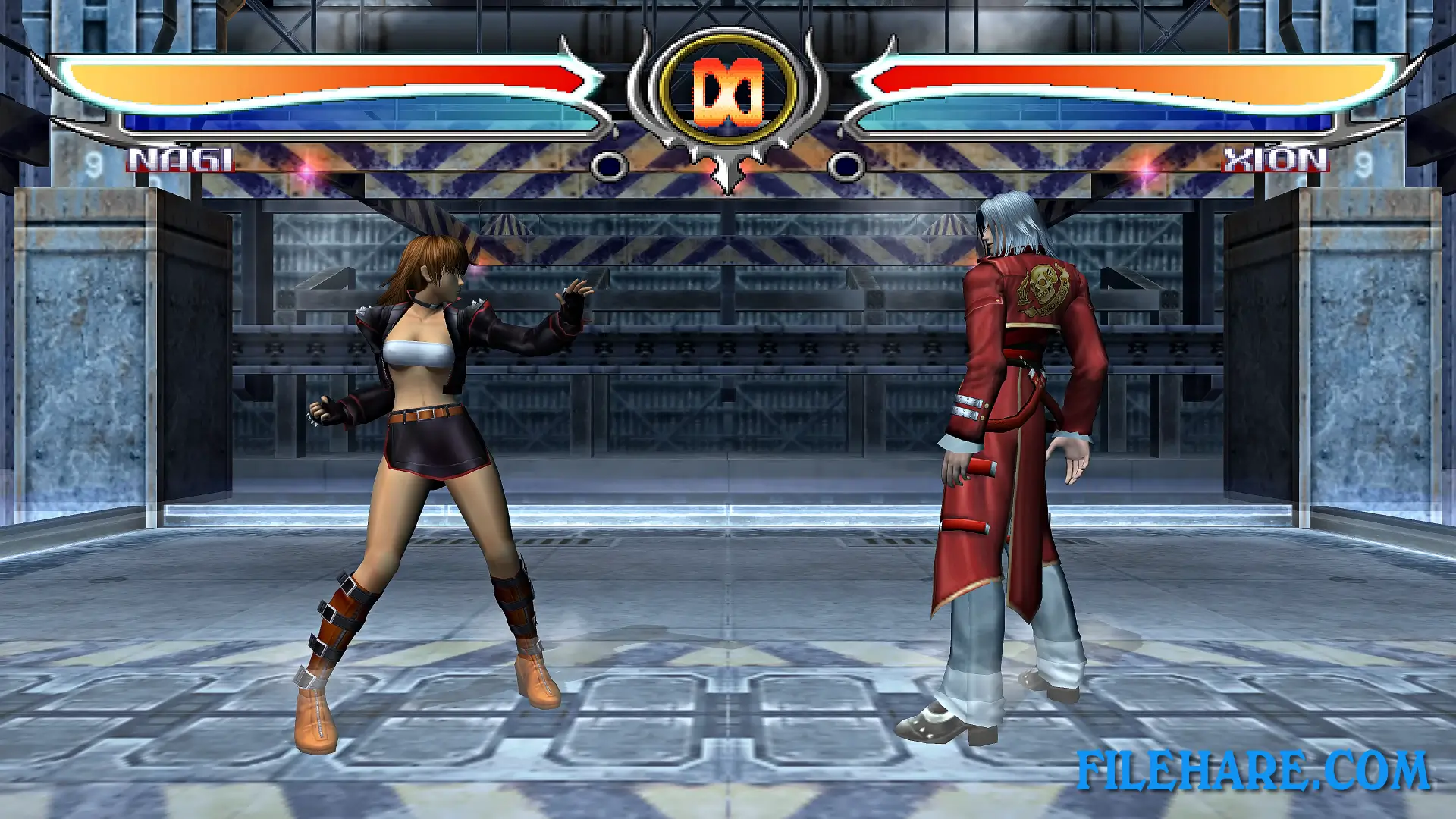
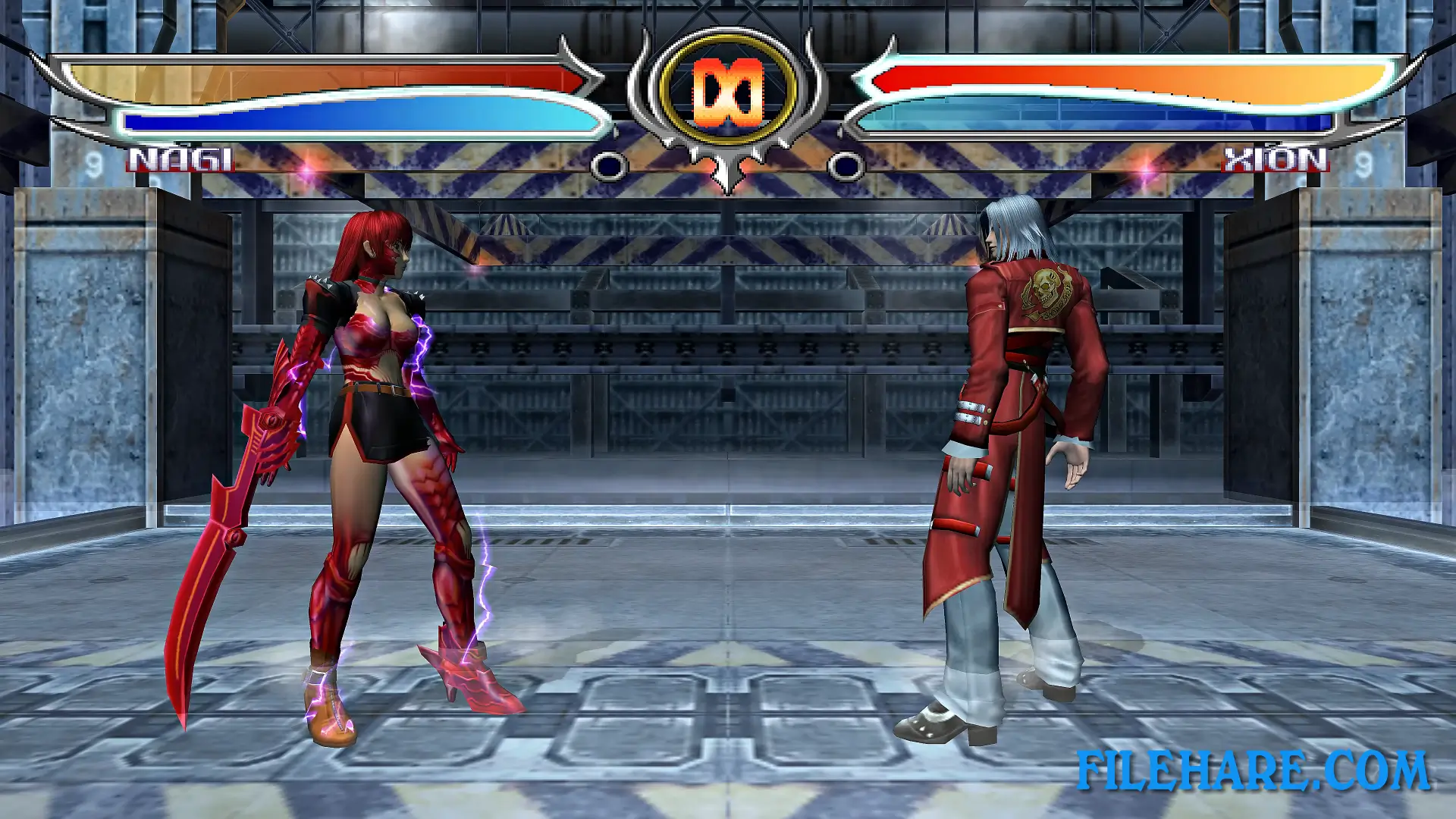
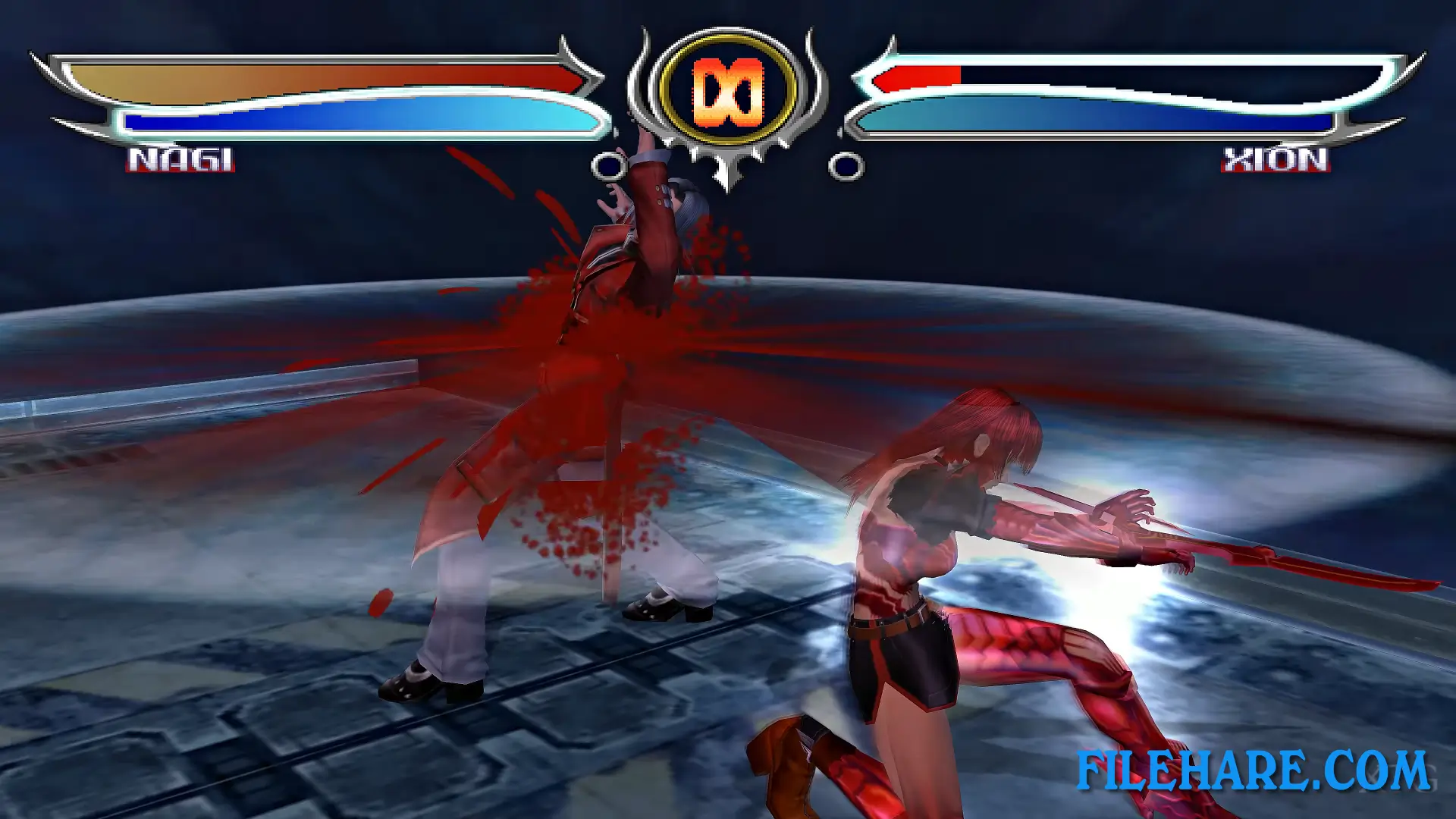
| Name | Bloody Roar 4 |
|---|---|
| Developer | Eighting, Hudson Soft |
| File Size | 1.29 GB |
| Category | Action |
| Minimum System Requirements | |
| CPU | Intel Pentium 4 1.6Ghz or equivalent |
| RAM | 2 GB |
| Graphics | 64 MB DirectX 8.1 Compatible |
| Free Disk Space | 2 GB |
| Operating System | Windows 10 / 11 / 7 / 8 / XP / Vista |
| User Rating | |