Needy Streamer Overload PC Game Download for Windows 10/11/8
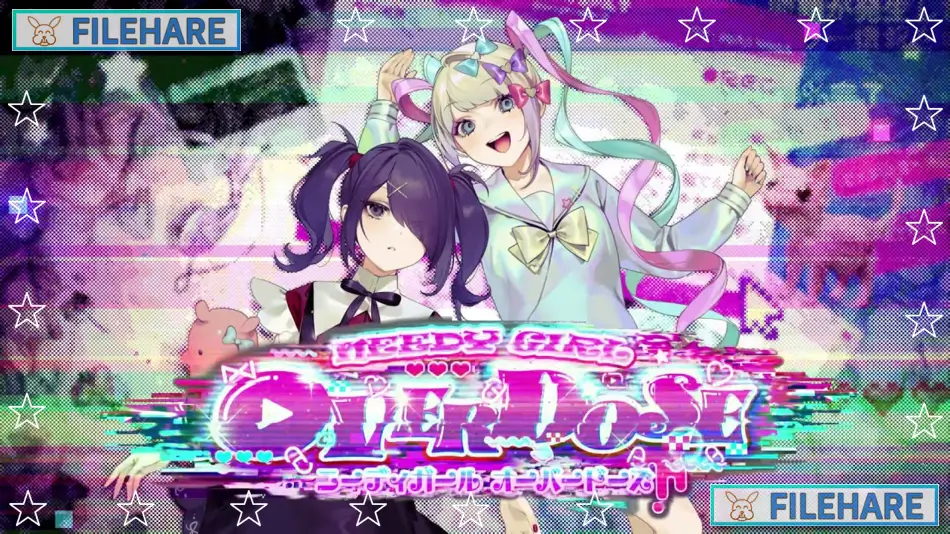
Needy Streamer Overload is a simulation game developed by WSS playground and Xemono and published by WSS playground. The game was released on Steam for Microsoft Windows and macOS on January 21, 2022. This is a unique simulation game where you help manage a virtual internet streamer and watch how she becomes famous online.
Table of Contents
Needy Streamer Overload Story
The game follows a young woman named Ame who wants to become a famous internet streamer known as OMGkawaiiAngel. You play as her boyfriend or manager who helps her with streaming and daily life. Ame has mental health problems and can be very unstable. She wants to get one million followers on her streaming channel within 30 days. As you help her stream and gain followers, you must also manage her stress levels, mental health, and daily activities. The story shows how internet fame can be dangerous and how social media can hurt people’s minds. Ame can become very obsessed with getting likes and followers, which makes her behavior worse over time.
Needy Streamer Overload Gameplay
You manage Ame’s daily schedule by picking what she does each day. You can choose what type of content she streams, like gaming, chatting, or other activities. You also control what she does when not streaming, such as sleeping, eating, taking medicine, or going out. The game tracks her stress, mental health, darkness level, and follower count. You must balance these stats carefully because if they get too high or low, bad things happen. There are many different endings based on how you manage her life. You can give her drugs to help with streaming, but this can make her mental health worse. The game takes about 30 in-game days to complete, and you can replay it to see different endings.
Gameplay Screenshots


| Name | Needy Streamer Overload |
|---|---|
| Developer | WSS playground, xemono |
| File Size | 935.35 MB |
| Category | Indie |
| Minimum System Requirements | |
| CPU | Intel Core i5-10600K or better |
| RAM | 4 GB (8 GB Recommended) |
| Graphics | OpenGL 4.5 or better |
| Free Disk Space | 3 GB |
| Operating System | Windows 10 / 11 / 8 (64-bit) |
| User Rating | |
To buy this game, visit the Store Page
How to Download and Install Needy Streamer Overload PC Game?
We have simple instructions for you to download and install the PC game. Before following the steps, Ensure your PC meets the minimum system requirements for Playing the game on your PC.
- First, click on the DOWNLOAD button and you will be redirected to the final Download page. Then, Download the Game on your PC.
- Once you have downloaded the Needy Streamer Overload PC Game, Open the folder where you saved the Game.
- Then Right-click on the Zip file and click on the "Extract files" option from the dropdown menu. If your computer does not have a Zip file extract software installed, you must first install it. (such as WinRAR, 7Zip software)
- After Extracting the Zip file, Open the Needy Streamer Overload PC Game folder.
- Then, double-click on the Setup.exe file to Install the Game.
- If asked, provide administrator permissions for the installation to proceed. Click Yes to continue.
- Follow the on-screen installation wizard to install the game on your PC.
- After the installation, if you get any missing ".dll" errors or the Game is not launching, open the Readme.txt file located in the game folder and follow the instructions shown in the document file to play the game.
Done!. Now, you can launch the game from your desktop.