SONIC X SHADOW GENERATIONS PC Game Download for Windows 10/11
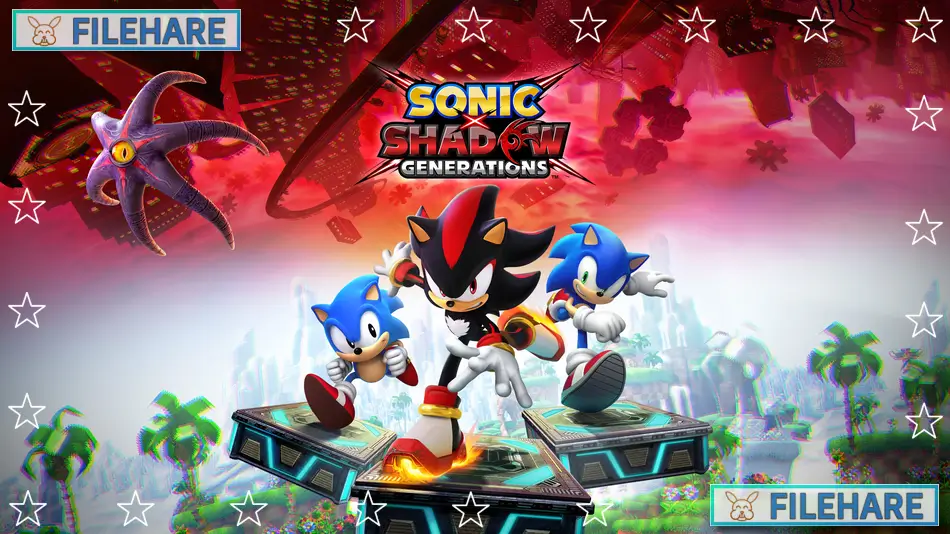
SONIC X SHADOW GENERATIONS is a platform action game developed by Sonic Team and published by SEGA. The game was released on October 24, 2024, for PC, PlayStation 5, Xbox Series X/S, PlayStation 4, Xbox One, and Nintendo Switch. This collection includes two games in one package. You get a brand new Shadow the Hedgehog campaign, plus a complete remaster of the original Sonic Generations game with improved graphics and additional content.
Table of Contents
SONIC X SHADOW GENERATIONS Story
The game has two separate stories. In Shadow’s new campaign, his enemy Black Doom returns and tries to take over the planet. Shadow must go into his past and remember difficult memories to stop Black Doom. He needs to unlock new dark powers to save everyone. In the Sonic Generations story, Dr. Eggman works with his past version and a creature called the Time Eater to change history and fix their past failures. They scatter Sonic and his friends across time and space. Both Modern Sonic and Classic Sonic must work together to defeat Dr. Eggman, his past self, and the Time Eater to fix the timeline.
SONIC X SHADOW GENERATIONS Gameplay
You play as Shadow in his own campaign, where you run at high speed in both 3D and 2D stages. Shadow has new Doom Powers that let you surf on water, fly over obstacles, and use Chaos Control to stop time. You can battle enemies and complete platforming challenges with these abilities. The game has an open hub area inspired by Sonic Frontiers, where you can explore and find secrets. As Shadow gains more powers, you unlock new areas. In the Sonic Generations mode, you play as both Modern Sonic and Classic Sonic. You speed run classic stages from past Sonic games, reimagined in both 3D and 2D formats. The game now has updated graphics and new bonus content.
SONIC X SHADOW GENERATIONS Features
The game includes stages from Shadow’s history and iconic locations from previous Sonic games. You can collect Chao hidden in every level and play mini-games like Casino Nights Zone pinball. There is a museum mode where you can see art, music, and behind-the-scenes content. The Digital Deluxe Edition comes with extra music tracks, a Terios skin based on Shadow’s original design, and a Sonic the Hedgehog 3 Movie Pack featuring Keanu Reeves’ voice.
Recommended System Requirements
Requires a 64-bit processor and operating system
- OS: Windows 10
- Processor: Intel Core i7-2600 or AMD Ryzen 5 1400
- Memory: 12 GB RAM
- Graphics: NVIDIA GeForce GTX 780, 3GB or AMD Radeon RX 470, 4GB or Intel Arc A310, 4GB
- Storage: 35.3 GB available space
- Additional Notes: High 1080p @ 60 FPS. CPU: A processor supporting the AVX extensions set is required to launch the application. GPU: A D3D10 compatible graphics adapter is required to launch the application. Microsoft no longer supports Windows 10 or older versions.
Gameplay Screenshots




| Name | SONIC X SHADOW GENERATIONS |
|---|---|
| Developer | Sonic Team |
| File Size | 8.39 GB |
| Category | Action |
| Minimum System Requirements | |
| CPU | Intel Core i3-2120 or FX-6300 |
| RAM | 8 GB |
| Graphics | NVIDIA GeForce GTX 550 Ti, 1GB or AMD Radeon HD 5770, 1GB |
| Free Disk Space | 35.3 GB |
| Operating System | Windows 10 / 11 (64-bit) |
| User Rating | |
To buy this game, visit the Store Page
How to Download and Install SONIC X SHADOW GENERATIONS PC Game?
We have simple instructions for you to download and install the PC game. Before following the steps, Ensure your PC meets the minimum system requirements for Playing the game on your PC.
- First, click on the DOWNLOAD button and you will be redirected to the final Download page. Then, Download the Game on your PC.
- Once you have downloaded the SONIC X SHADOW GENERATIONS PC Game, Open the folder where you saved the Game.
- Then Right-click on the Zip file and click on the "Extract files" option from the dropdown menu. If your computer does not have a Zip file extract software installed, you must first install it. (such as WinRAR, 7Zip software)
- After Extracting the Zip file, Open the SONIC X SHADOW GENERATIONS PC Game folder.
- Then, double-click on the Setup.exe file to Install the Game.
- If asked, provide administrator permissions for the installation to proceed. Click Yes to continue.
- Follow the on-screen installation wizard to install the game on your PC.
- After the installation, if you get any missing ".dll" errors or the Game is not launching, open the Readme.txt file located in the game folder and follow the instructions shown in the document file to play the game.
Done!. Now, you can launch the game from your desktop.