CarX Street PC Game Download for Windows 10/11

CarX Street is an open-world street racing game developed and published by CarX Technologies, LLC. The game was released on August 29, 2024, for PC, and is also available on iOS and Android. It comes from the same studio behind CarX Drift Racing Online and puts players in the role of an underground street racer building a reputation inside a network called StreetNET in the fictional city of Sunset City.
Table of Contents
CarX Street Gameplay
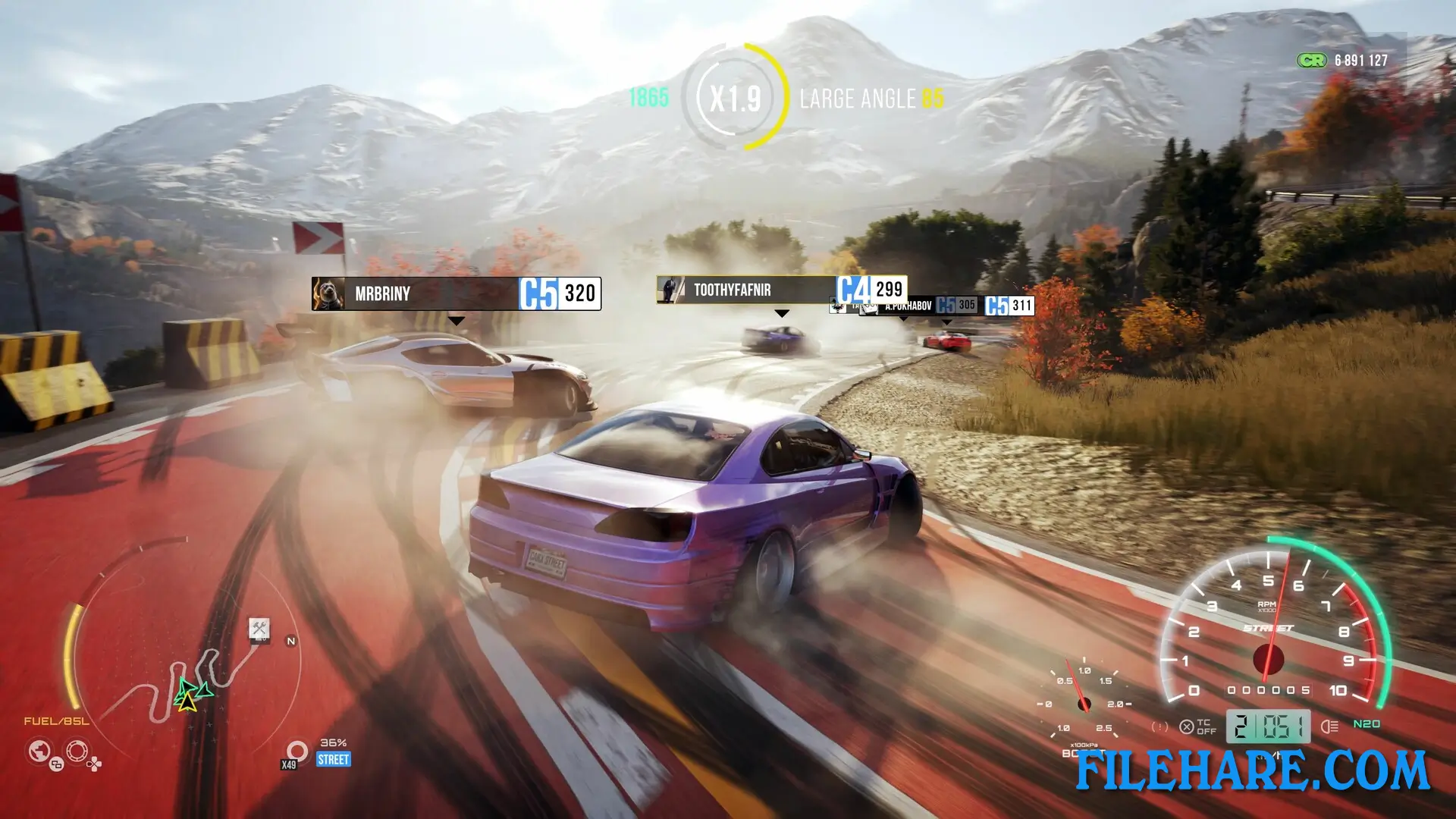
CarX Street is played from a third-person or first-person view as players drive across the open streets, highways, and mountain roads of Sunset City. The game uses CarX Technology physics, which means car handling reacts realistically to speed, weight, and road surface. Players take part in several types of races and activities across the city. Club races put players against the top drivers of various city clubs. Sprint races run at high speed across busy city districts. Drift races and freedrift sessions let players score points by performing long and controlled drifts on winding roads and parking lots. There are also delivery quests where players transport cars and parts to locations around Sunset City. The game has an online multiplayer side that includes a Speed League where six players race against each other, a 1v1 Battle mode for circuit and sprint duels, and a Chase mode where one player tries to outrun another by staying more than 300 meters ahead.
CarX Street Features
CarX Street includes a deep car customization and tuning option. Players can adjust engine, suspension, tires, and gear settings to prepare their car for specific race types. Visual customization covers paint type and color, rims, LED lighting, interior seats, and steering wheels. Players build a personal car collection and earn respect within StreetNET to rise up in the underground racing ranks. The Sunset Speedway DLC adds a dedicated track area to the game. The game also supports online co-op free roaming, where players can drive around Sunset City together without any race restrictions.
Recommended System Requirements
Requires a 64-bit processor and operating system
- OS: Windows 10 or higher
- Processor: Ryzen 7 5800x @ 3.8 GHz / Intel Core i5-10600 @ 4.1 GHz
- Memory: 16 GB RAM
- Graphics: Nvidia Geforce RTX 2060 Super 8 Gb / Radeon RX 5700 XT 8 Gb
- DirectX: Version 11
- Storage: 20 GB available space
- Sound Card: Sound card compatible with DirectX 9.0с
- Additional Notes: SSD required
Gameplay Screenshots



| Name | CarX Street |
|---|---|
| Developer | CarX Technologies, LLC |
| File Size | 10.91 GB |
| Category | Racing |
| Minimum System Requirements | |
| CPU | AMD Ryzen 5 2600 @ 3.4 GHz / Intel Core I5-8400 @ 2.5 GHz |
| RAM | 8 GB |
| Graphics | Nvidia Geforce GTX 1050 TI 4 Gb / Radeon RX 570 8 Gb |
| Free Disk Space | 20 GB |
| Operating System | Windows 10 / 11 (64-bit) |
| User Rating | |
To buy this game, visit the Store Page
How to Download and Install CarX Street PC Game?
We have simple instructions for you to download and install the PC game. Before following the steps, Ensure your PC meets the minimum system requirements for Playing the game on your PC.
- First, click on the DOWNLOAD button and you will be redirected to the final Download page. Then, Download the Game on your PC.
- Once you have downloaded the CarX Street PC Game, Open the folder where you saved the Game.
- Then Right-click on the Zip file and click on the "Extract files" option from the dropdown menu. If your computer does not have a Zip file extract software installed, you must first install it. (such as WinRAR, 7Zip software)
- After Extracting the Zip file, Open the CarX Street PC Game folder.
- Then, double-click on the Setup.exe file to Install the Game.
- If asked, provide administrator permissions for the installation to proceed. Click Yes to continue.
- Follow the on-screen installation wizard to install the game on your PC.
- After the installation, if you get any missing ".dll" errors or the Game is not launching, open the Readme.txt file located in the game folder and follow the instructions shown in the document file to play the game.
Done!. Now, you can launch the game from your desktop.