Best Gaming Laptop Under 50,000 INR With 4GB Graphics Card (2026 Guide)
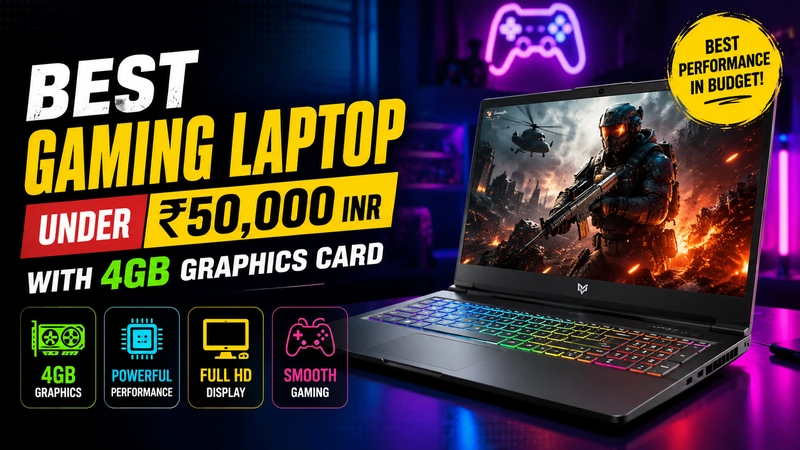
Finding a genuine gaming laptop under 50,000 INR used to mean settling for a 2GB GPU and grainy visuals. That’s changed. In 2026, a 50K budget can realistically get you a machine with a 4GB dedicated graphics card — enough to run titles like Valorant, GTA V, BGMI (via emulator), FIFA, and CS2 at smooth frame rates on medium-to-high settings.
This guide breaks down the best options currently available in India for indian users. What to check before buying, and how to avoid the “gaming laptop” ads that are really just laptops with integrated graphics in disguise.
Table of Contents
- Quick Answer: Top Pick
- Why 4GB Graphics Matters at This Price Point
- Best Gaming Laptops Under 50,000 INR (4GB GPU)
- 1. Acer Aspire 7 (Core i5 12th Gen, RTX 2050 4GB)
- 2. ASUS TUF Gaming F15 (Core i5 11th Gen, RTX 2050 4GB)
- 3. Lenovo IdeaPad Gaming 3 (Ryzen 5, RTX 2050/GTX 1650 4GB)
- 4. HP Victus 15 (Ryzen 5 / Core i5, GTX 1650 or RTX 2050)
- 5. MSI GF63 Thin (Core i5, GTX 1650 4GB)
- Comparison Table
- What to Check Before You Buy
- Games You Can Realistically Play
- Frequently Asked Questions
- Final Verdict
Quick Answer: Top Pick
The Acer Aspire 7 with a Core i5 12th Gen processor and RTX 2050 (4GB) graphics is consistently the best value pick in this segment, especially when it dips near ₹47,000–49,990 during bank offers or sale periods.
Why 4GB Graphics Matters at This Price Point
A dedicated 4GB VRAM GPU is the real dividing line between a “gaming laptop” on paper and one that actually games well. At under 50K, this typically means an entry-level discrete GPU like the NVIDIA RTX 2050, GTX 1650, or an AMD Radeon RX 560X, paired with a Ryzen 5 or Core i5 processor and 8–16GB RAM. These specs handle esports titles at 60+ FPS and AAA titles at 30–45 FPS on lowered settings — a big step up from laptops running only integrated graphics.
Best Gaming Laptops Under 50,000 INR (4GB GPU)
1. Acer Aspire 7 (Core i5 12th Gen, RTX 2050 4GB)
- CPU: Intel Core i5-12450H
- GPU: NVIDIA RTX 2050, 4GB VRAM
- RAM: 8GB/16GB (16GB variant recommended)
- Display: 15.6-inch FHD
- Why buy it: Best all-round balance of processing power, GPU performance, and price. The RTX 2050 handles ray-tracing-lite workloads and modern esports titles comfortably.
2. ASUS TUF Gaming F15 (Core i5 11th Gen, RTX 2050 4GB)
- CPU: Intel Core i5-11260H
- GPU: NVIDIA RTX 2050, 4GB VRAM
- RAM: 8GB
- Display: 15.6-inch, 144Hz refresh rate
- Why buy it: The 144Hz panel is the standout here — great for fast-paced shooters. ASUS’s TUF series also carries military-grade durability certification, useful if you’re rough on hardware.
3. Lenovo IdeaPad Gaming 3 (Ryzen 5, RTX 2050/GTX 1650 4GB)
- CPU: AMD Ryzen 5 5500H/5600H
- GPU: NVIDIA RTX 2050 or GTX 1650, 4GB VRAM
- RAM: 8GB
- Display: 15.6-inch FHD, up to 120Hz
- Why buy it: Most selling Lenovo laptop, and a favorite among students who want gaming and productivity in one machine.
4. HP Victus 15 (Ryzen 5 / Core i5, GTX 1650 or RTX 2050)
- CPU: AMD Ryzen 5 5600H or Intel Core i5 12th Gen
- GPU: GTX 1650 or RTX 2050, 4GB VRAM
- RAM: 8GB (expandable)
- Display: 15.6-inch FHD, 144Hz
- Why buy it: HP’s gaming-focused cooling system keeps thermals in check during longer sessions, and the 144Hz display is a nice bonus at this price.
5. MSI GF63 Thin (Core i5, GTX 1650 4GB)
- CPU: Intel Core i5 (9th/10th Gen)
- GPU: NVIDIA GTX 1650, 4GB GDDR6
- RAM: 8GB
- Display: 15.6-inch FHD
- Why buy it: MSI’s gaming pedigree shows in build quality and thermal design, making the GF63 a dependable pick when in stock.
Comparison Table
| Laptop | CPU | GPU (4GB) | RAM | Display | Best For |
|---|---|---|---|---|---|
| Acer Aspire 7 | Core i5-12450H | RTX 2050 | 8/16GB | 15.6″ FHD | Overall value |
| ASUS TUF Gaming F15 | Core i5-11260H | RTX 2050 | 8GB | 15.6″ 144Hz | Esports/FPS games |
| Lenovo IdeaPad Gaming 3 | Ryzen 5 5500H/5600H | RTX 2050/GTX 1650 | 8GB | 15.6″ 120Hz | Students + gaming |
| HP Victus 15 | Ryzen 5 / Core i5 | GTX 1650/RTX 2050 | 8GB | 15.6″ 144Hz | Balanced everyday use |
| MSI GF63 Thin | Core i5 9th/10th Gen | GTX 1650 | 8GB | 15.6″ FHD | Build quality |
Prices fluctuate frequently with bank offers, exchange deals, and festive sales — always check the live listing before purchase.
What to Check Before You Buy
- Confirm it’s a dedicated GPU, not shared memory. Some listings advertise “4GB graphics” but actually mean shared system RAM allocated to integrated graphics. Look specifically for RTX 2050, GTX 1650, or a similarly named discrete NVIDIA/AMD chip in the spec sheet.
- Prioritize RAM upgradability. 8GB is the bare minimum for modern gaming. If the laptop has a free RAM slot, plan to add another 8GB stick later.
- Check the storage type. SSD (preferably NVMe) over HDD makes a massive difference to load times and overall responsiveness.
- Look at the refresh rate. A 120Hz or 144Hz display, even paired with a 4GB GPU, noticeably improves the feel of competitive games.
- Don’t ignore thermals. Read a few user reviews on sustained performance — a laptop that throttles heavily after 20 minutes of gaming isn’t a good long-term buy, no matter how good the spec sheet looks.
Games You Can Realistically Play
With a 4GB dedicated GPU in this price bracket, expect:
- Smooth 60+ FPS: Valorant, CS2, BGMI (emulator), FIFA, Rocket League
- Playable at medium settings: GTA V, Apex Legends, Far Cry series
- Playable at low-medium settings: Modern AAA titles like recent Call of Duty entries or Cyberpunk 2077
Frequently Asked Questions
Is a 4GB graphics card enough for gaming in 2026? For esports titles and most mid-tier AAA games at 1080p on medium settings, yes. It won’t handle the latest ultra-demanding titles at high settings, but it’s a solid entry point for budget gaming.
Should I buy GTX 1650 or RTX 2050 at this price? The RTX 2050 is the newer, generally faster option and supports some ray-tracing features, so prioritize it if the price difference is small.
Can I upgrade RAM and storage later on these laptops? Most models in this list have at least one accessible RAM slot and an SSD upgrade slot — check the specific model’s service manual or listing before buying.
Is it better to wait for a sale? If your budget is tight, yes — several of these laptops (Acer Aspire 7, Lenovo IdeaPad Gaming 3) regularly drop ₹2,000–5,000 below MRP during bank offer periods or festive sales.
Final Verdict
For most buyers, the Acer Aspire 7 with RTX 2050 is the smartest pick under 50,000 INR — it balances CPU power, GPU performance, and price better than the competition. If a high refresh-rate display matters more to you, the ASUS TUF Gaming F15 or HP Victus 15 are strong alternatives. Budget-conscious students should look closely at the Lenovo IdeaPad Gaming 3.
Whichever you choose, confirm the exact GPU model and RAM configuration before purchase — small variant differences can significantly affect real-world gaming performance.
Prices and availability are subject to change. Always verify current pricing on the retailer’s website before making a purchase decision.